PC/Mac Maintenance
- Home
- PC/Mac Maintenance
Electrical Power Calculator
Calculate power using different electrical formulas
Select Calculation Method
Calculation Result
Power (P) = 0 Watts
About Electrical Power
Electrical power is the rate at which electrical energy is transferred by an electric circuit. The SI unit of power is the watt (W).
Common Power Formulas:
- P = V × I (Power = Voltage × Current)
- P = I² × R (Power = Current² × Resistance)
- P = V² ÷ R (Power = Voltage² ÷ Resistance)
These formulas are derived from Ohm's Law (V = I × R) and the definition of power (P = V × I).

Our Services Include:
1. Diagnostics and Troubleshooting
Identify and resolve hardware issues before they disrupt your operations. Our experts use advanced tools to diagnose problems accurately and provide effective solutions.
2. Preventative Maintenance
Extend the lifespan of your devices with regular cleaning, component checks, and performance optimization. Our preventative maintenance services include:
- Cleaning of internal components to prevent overheating.
- Inspecting and securing connections.
- Firmware updates and system calibration.
3. Hardware Upgrades
Boost your system’s performance with hardware upgrades such as increased RAM, faster SSDs, or enhanced graphics cards. We help you select and install components tailored to your needs.
4. Data Protection During Maintenance
Your data is our priority. We take steps to secure your data during any maintenance procedure, ensuring no loss or compromise.
5. Software Updates and Upgrades
Ensure your software is up-to-date with the latest features and security patches. We manage updates for operating systems, applications, and drivers.
6. Virus and Malware Removal
Protect your systems from malicious threats. Our experts will detect, remove, and safeguard your devices against viruses, ransomware, and other cyber threats.
7. Troubleshooting and Bug Fixes
Resolve software crashes, performance issues, and error messages quickly and effectively. We provide solutions tailored to your specific problems.
8. Performance Optimization
Boost system speed and efficiency by optimizing software settings, cleaning up temporary files, and removing unnecessary programs.
9. Backup and Recovery Solutions
Prevent data loss with our reliable backup and recovery services. We set up automatic backups and restore lost or corrupted data.
Why Choose Us?
We ensure your systems stay reliable, efficient, and secure with our professional computer hardware and software maintenance services. Whether you’re a small business, large enterprise, or an individual, we provide tailored solutions to keep your hardware running at peak performance.
Supported Devices
- Laptop Computers
- PC/Macbook
- Printers and Peripherals
- Networking Equipment

High-quality service doesn’t have to come with a high price tag.
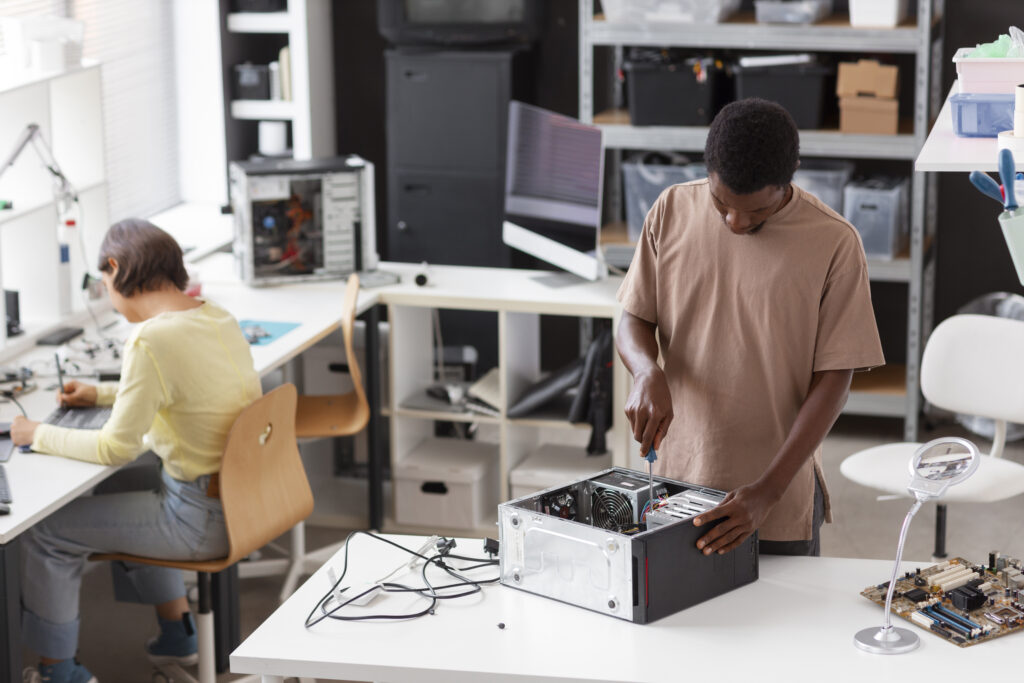
Our skilled professionals ensure every job is done right the first time.
Frequently Asked Question
Regular maintenance improves performance, extends lifespan, prevents overheating, and reduces the risk of hardware failure.
For optimal performance, clean your computer's internal components, like fans and vents, every 3-6 months.
Common signs include overheating, unusual noises, slow performance, frequent crashes, or failure to boot.
Yes! Upgrading components like RAM, SSD, or the graphics card can significantly improve performance at a lower cost than buying a new system.
Frequent crashes, slow performance, unresponsive applications, error messages, or incompatibility with newer files are common indicators.
Install and update antivirus software, avoid downloading untrusted files, use firewalls, and avoid suspicious websites or emails.
- Updates fix bugs, enhance security, or improve performance within the same version.
- Upgrades replace the current software with a newer version offering additional features or improvements.


